For Apple Watch · iPhone companion
Automatic golf shot tracking, right on your Apple Watch.
DuffMate counts your shots automatically, shows GPS distance to the green and live wind, and syncs your full scorecard, shot map, and stats to your iPhone. No buttons mid-round. No scorecard in your back pocket. No extra gadgets to buy.
For Apple Watch, with an iPhone companion app.
What is DuffMate?
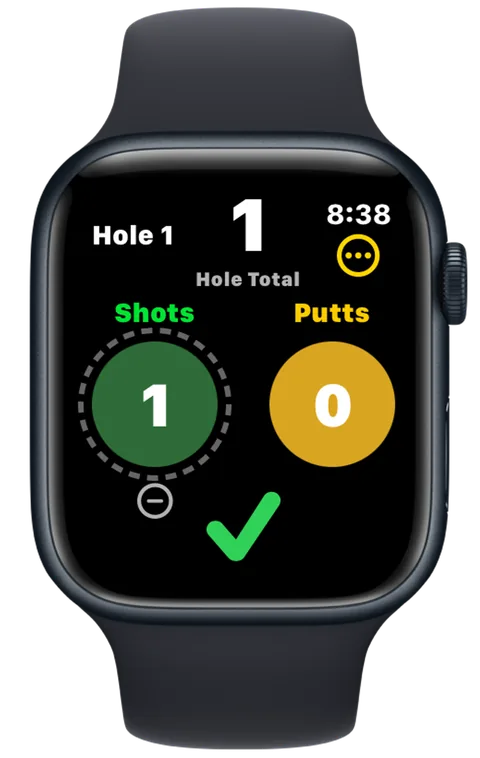
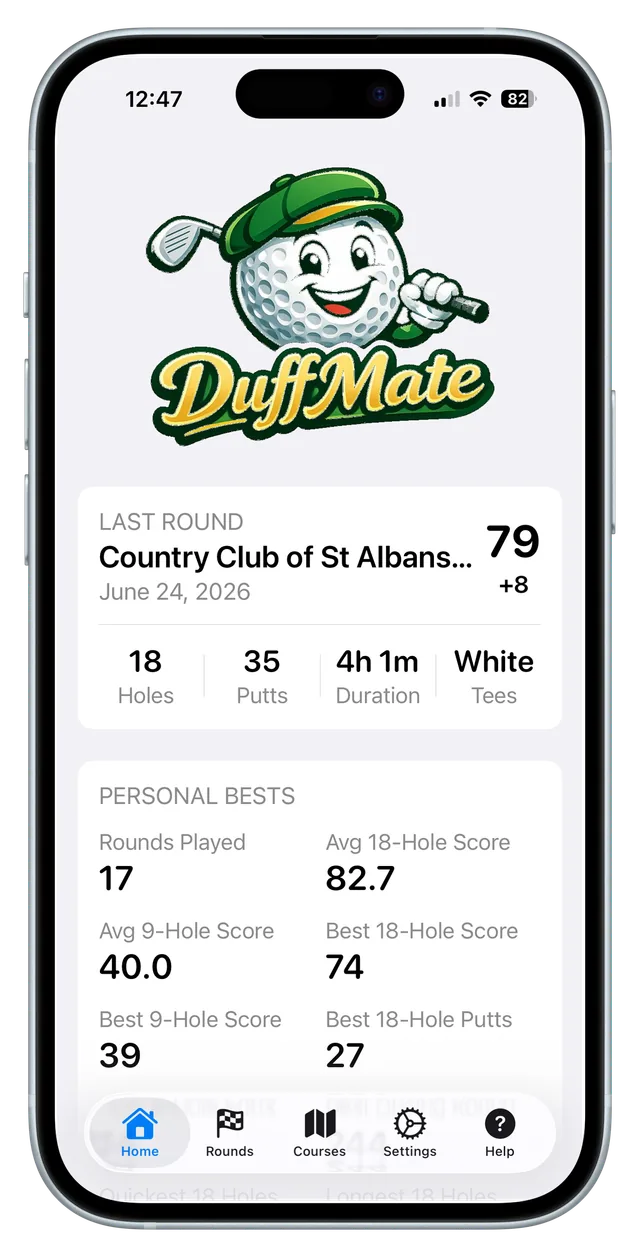
DuffMate is an Apple Watch golf app that keeps score for you. It uses the Watch's motion sensors to detect each swing and count your shots automatically, shows GPS distance to the green and the current wind, and lets you tap in your putts. After the round, everything syncs to the iPhone app — a full scorecard, a map of where you played each shot, and your stats over time.
Features
Everything you need on your wrist. Nothing you don't.
Six things DuffMate does so you can keep your head in the round.
Counts your shots automatically
Your Watch feels the swing and logs the shot — no taps, no buttons, no phone between holes.
GPS distance to the green
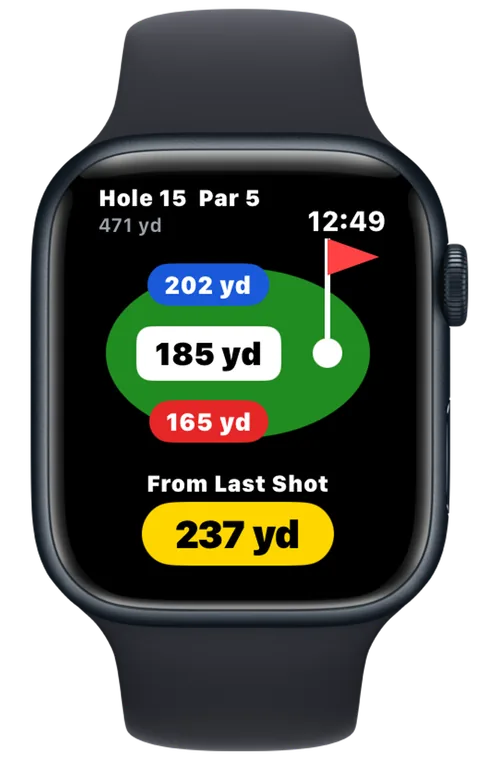
Yardage to the front, middle, and back of the green, plus how far you hit your last shot.
Live wind
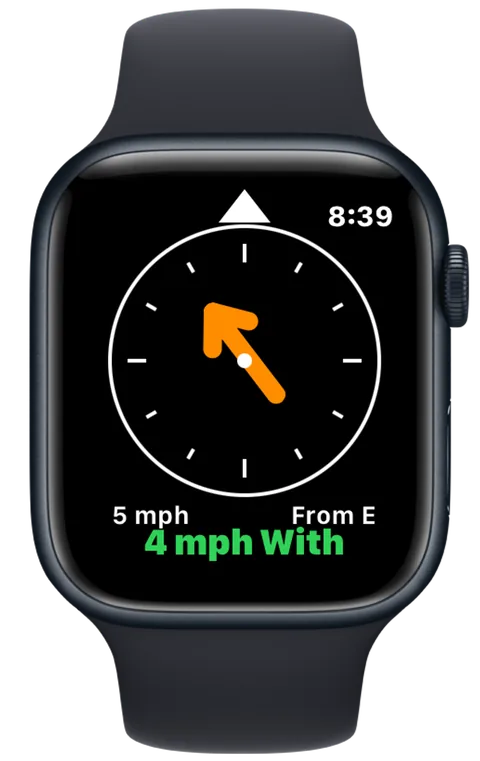
Wind speed and direction on your wrist, so you can pick the right club — and have something else to blame.
Putts, your way
Tap to log putts. They're counted separately, so your shot stats stay clean. Turn them off if you'd rather not.
Scorecard & shot map
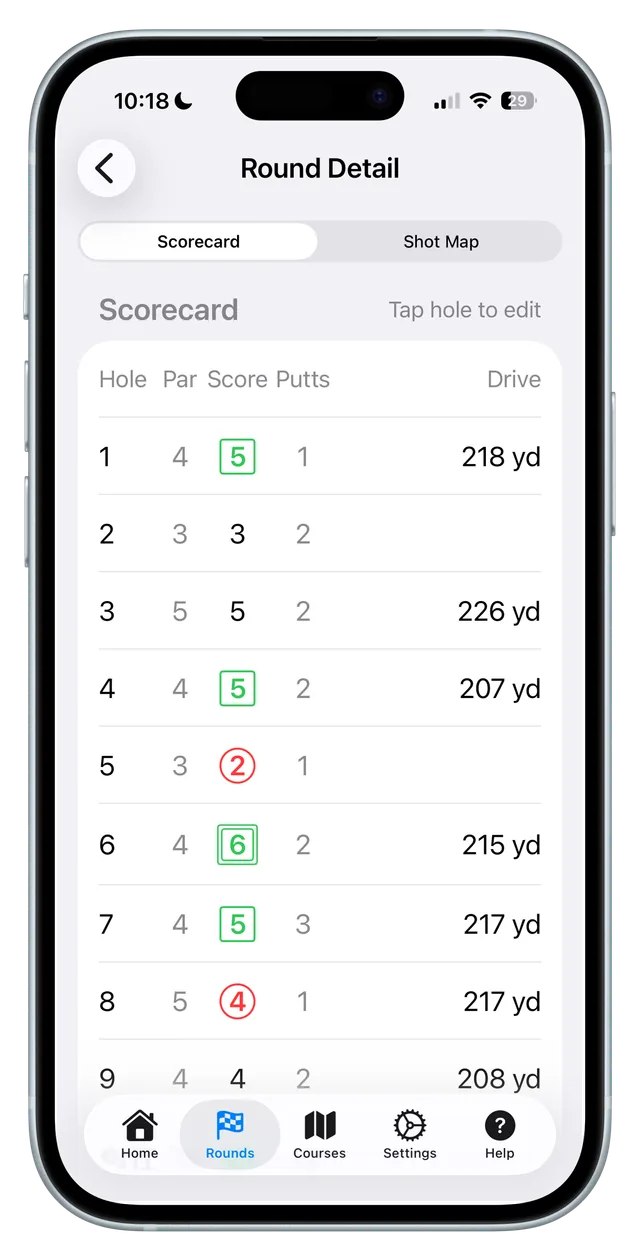
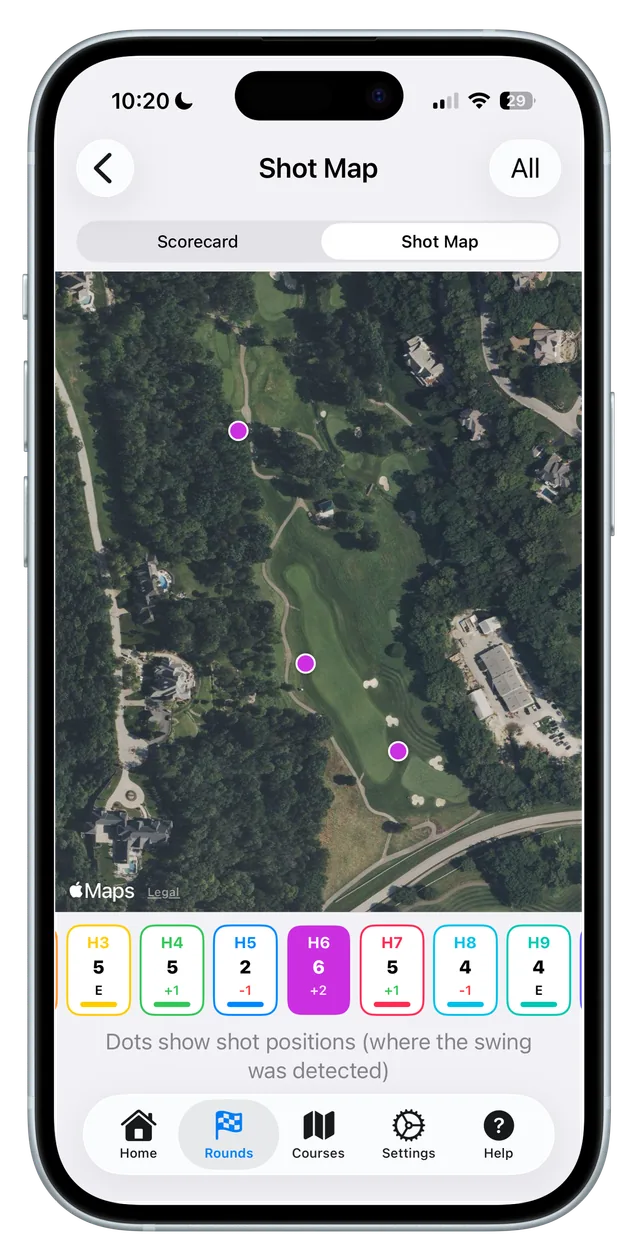
After the round, see a full scorecard and a satellite map of every shot — synced to your iPhone.
Stats that keep up
Round history, personal bests, and trends, all on your phone. No spreadsheets, no setup.
How it works
How does DuffMate work?
Four steps. Most of them happen before you've finished your coffee.
-
Pick your course
On your iPhone, search for your course and send it to your Watch. You only do this once per course.
-
Tee off
On the Watch, tap Play Golf, choose 9 or 18 holes, and pick your tee. That's the setup.
-
Just play
DuffMate counts your shots as you swing. Tap to add your putts. Glance at your wrist for distance and wind.
-
Review on your phone
Open the DuffMate app after the round for your scorecard, shot map, and stats.
New to DuffMate? Read the full Getting Started guide →
Automatic shot detection
How does DuffMate count your shots?
DuffMate watches the motion of your Watch and recognizes the shape of a golf swing — the takeaway, the speed through the ball, the follow-through. It logs that as a shot and notes where you were standing, so it can map your round later. Practice swings, walking, and bumpy cart rides mostly don't fool it. When one slips through, a quick tap adds or removes a shot. You stay in control; DuffMate just does the counting.
Distance & wind
Know your number before you swing.
Swipe over from the main screen for distance: yardage to the front, middle, and back of the green, plus how far you've come since your last shot — a good read on how far you actually hit it. Swipe again for wind: a compass arrow points the way it's blowing, with the speed and whether it's helping or hurting on this hole. GPS distances are good to within a few yards — close enough to pick a club, and we'll tell you when the signal's still settling.
After the round
Your whole round, waiting on your phone.
When you finish, your round syncs to the iPhone app over Bluetooth. You get a full scorecard with your score, putts, and drive distance on every hole; a satellite map showing where each shot landed; and your stats over time — round history, personal bests, and trends. It adds up on its own. You just play.
Your round is your business.
Your rounds live on your iPhone and Watch. There are no accounts to sign up for, no tracking, and nothing sold. DuffMate only reaches out for two things: the weather, and looking up your course. That's it. Read the privacy policy →
What do I need to use DuffMate?
A $5.99 one-time purchase, an Apple Watch, and an iPhone. No extra hardware.
| An Apple Watch | watchOS 11 or later. |
|---|---|
| An iPhone | iOS 18 or later, to set up courses and review your rounds. |
| A one-time purchase | $5.99 on the App Store — buy once, no subscription. |
| That's it | No extra sensors, clubs, or hardware to buy. |
Get DuffMate
Spend less time keeping score.
DuffMate is on the App Store. Get it below, or reach us any time at [email protected].